Local SEO
Google Business Profile Optimisation Checklist for Bengaluru Businesses
A complete Google Business Profile optimisation checklist for Bengaluru businesses. Claim, verify, and optimise your GBP listing to rank higher in local search and Google Maps.
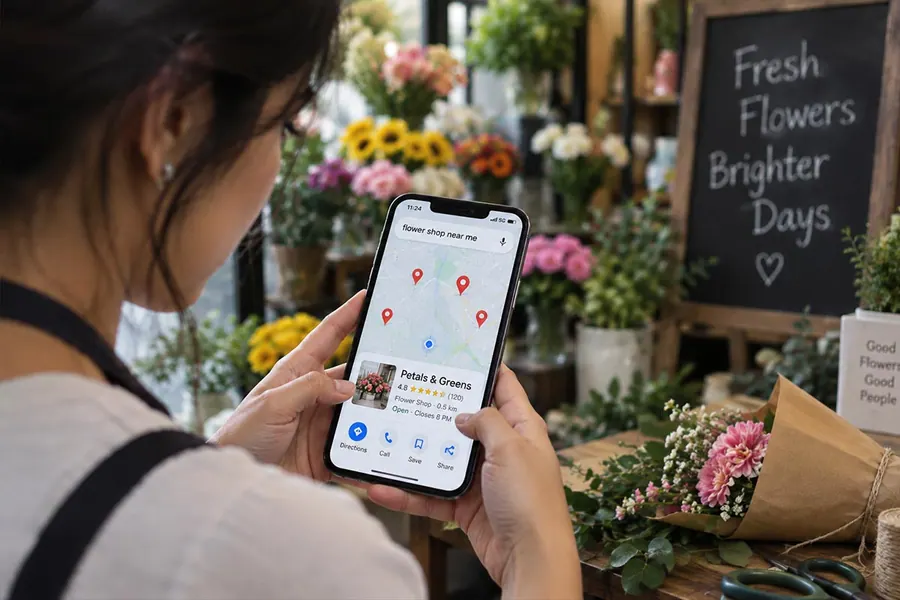
If you run a business in Bengaluru, chances are most of your new customers find you the same way: they search on their phone, glance at the map, and pick from the three or four listings that show up first. That box of results, known as the Google Map Pack, is where local business is won or lost, and it’s controlled almost entirely by one free tool: your Google Business Profile (GBP).
The frustrating part is that most businesses set up their profile once, years ago, and never touch it again. Meanwhile, competitors who update their profile weekly, respond to every review, and post regularly are the ones showing up when a customer nearby searches “physiotherapy clinic near me” or “furniture store in Malleswaram.”
This checklist walks through every part of your Google Business Profile that affects local rankings, organised in the order you should tackle it.
Why Google Business Profile matters more in Bengaluru than you think
Bengaluru is a city of dense, walkable neighbourhoods (Koramangala, Indiranagar, Whitefield, HSR Layout, Malleswaram) where “near me” searches dominate how people choose where to go. A business with a fully optimised GBP profile competes directly with one that has a better product but a neglected listing, and in local search, the neglected listing usually loses. Unlike organic SEO, which can take months to show movement, GBP optimisation is one of the fastest, lowest-cost ways to improve local visibility. Most of the checklist below costs nothing but time.
1. Claim and verify your profile
- Claim your business on Google Business Profile (business.google.com) if you haven’t already. Search your business name first: a profile may already exist, created automatically by Google.
- Verify your business. Google typically verifies by postcard, phone, email, or video, depending on your business category. An unverified profile is far less likely to rank and can be edited by others.
- Check for duplicate listings. Multiple listings for the same location split your reviews and confuse Google. Search your business name and address to find and merge or remove duplicates.
2. Get your core business information exactly right
- Business name: use your real, registered business name exactly as it appears on your signage. Don’t stuff keywords into your name field (e.g., “Le Yantra Physiotherapy Clinic Best Bangalore”). This violates Google’s guidelines and can get your listing suspended.
- Address: must match your physical location exactly, including landmark or building details Bengaluru customers rely on (“above XYZ store,” “opposite XYZ signal”).
- Service area: if you serve customers at their location rather than yours (or in addition to it), define your service areas by neighbourhood or pin code rather than leaving this blank.
- Phone number: use a local Bengaluru number where possible, and make sure it’s the same number listed on your website (consistency matters for ranking, see section 6).
- Website URL: link to the most relevant page, not always the homepage. A clinic with two branches, for example, should link each GBP listing to that specific branch’s page if one exists.
- Business hours: keep these accurate and update them for holidays. Nothing frustrates a customer (or hurts trust signals) more than driving to a business marked “Open” that’s actually closed.
- Business category: choose the most specific primary category available (e.g., “Physical Therapy Clinic” rather than just “Health Clinic”), then add relevant secondary categories. Category selection has a direct, measurable impact on which searches you appear for.
3. Build out your profile content
- Write a complete business description (up to 750 characters). Describe what you do, who you serve, and what makes you different, naturally including terms customers actually search for, without keyword-stuffing.
- Add your services or products with individual descriptions and prices where possible. For a multi-service business (like a clinic offering both general physiotherapy and specialised treatment programs), list each service separately rather than bundling them into one line.
- Add attributes relevant to your business: wheelchair accessible, women-led, appointment-only, free Wi-Fi, parking available. These attributes are searchable filters Google surfaces to nearby users.
- Upload high-quality photos: exterior (so people can recognise the entrance), interior, team photos, and photos of products or work in progress. Profiles with more photos consistently get more direction requests and website clicks than those with just a logo.
- Add a short video if you can. A 30-second walkthrough of your space or a quick team introduction adds a layer of trust generic listings don’t have.
4. Reviews: your single biggest local ranking factor
- Set up a simple system to ask every customer for a review: a QR code at the counter, a follow-up WhatsApp message, or an SMS link sent right after the service is delivered, while the experience is still fresh.
- Respond to every review, positive and negative, within 24–48 hours. Google’s algorithm reads response activity as a sign of an actively managed, trustworthy business.
- Never buy fake reviews or offer incentives for reviews. This breaks Google’s policies directly and risks your listing being suspended, a much bigger loss than a few extra stars.
- Address negative reviews professionally and specifically, referencing the actual issue rather than a generic apology. Prospective customers read how you handle complaints as closely as they read the complaint itself.
- Aim for a steady stream of new reviews, not a single burst. Google favours businesses that keep earning reviews consistently over time rather than getting 50 in one week and then going quiet.
5. Google Posts, Q&A, and ongoing activity
- Publish Google Posts regularly: offers, events, new services, or updates. Treat this like a mini social feed directly inside your listing. Profiles that post at least weekly tend to show stronger engagement signals than dormant ones.
- Monitor and answer the Q&A section on your profile proactively. Anyone can ask or answer a question here, including competitors, so seed it yourself with the 5–6 questions customers ask most often (parking, timing, walk-ins, payment options).
- Enable messaging if you can respond promptly. Profiles that reply quickly to direct messages convert enquiries at a noticeably higher rate than those that don’t have messaging turned on at all.
6. Consistency across the web (NAP consistency)
- Make sure your Name, Address, and Phone number (NAP) match exactly across your Google Business Profile, website, Justdial, Sulekha, Facebook, and any other directory you’re listed on. Even small inconsistencies (“Rd” vs “Road,” a missing suite number) can weaken Google’s confidence in your business data and hold back your rankings.
- Audit and update old listings on directories you may have forgotten about. An outdated address on a five-year-old directory listing actively works against your current GBP profile.
7. Multi-location businesses
If you operate more than one branch (for example, a clinic with locations in different parts of Bengaluru), each location needs its own separate, fully optimised GBP profile, not one listing trying to represent both addresses.
- Create and verify a distinct profile per location.
- Use location-specific descriptions, photos, and Google Posts rather than duplicating the same content across profiles.
- Encourage reviews at each location individually. Don’t let one branch’s strong reviews mask a weaker one.
- Link each profile to that branch’s specific website page, if available, rather than the main homepage.
8. Track what’s actually working
- Check GBP Insights monthly to see how customers find you (direct search vs. discovery search), what actions they take (calls, direction requests, website clicks), and which photos get the most views.
- Track your ranking position for a handful of key local searches over time. Tools exist for this, but even manually searching from different Bengaluru localities each month gives you a rough sense of movement.
- Set a recurring reminder, monthly at minimum, to update photos, check hours, respond to any unanswered reviews, and post a fresh update. GBP optimisation isn’t a one-time setup; it’s an ongoing habit that compounds over time.
Common mistakes that hold Bengaluru businesses back
- Leaving the profile unclaimed or unverified for months after opening
- Keyword-stuffing the business name field, risking suspension
- Ignoring negative reviews instead of responding
- Using a virtual or inconsistent address that doesn’t match the storefront
- Letting hours go stale, especially around festivals and holidays
- Running one shared profile for multiple branches instead of separate, localised listings
How Heylix Media helps
At Heylix Media, we manage and optimise Google Business Profiles for Bengaluru businesses across healthcare, real estate, hospitality, and retail, including multi-branch clinics that need each location ranking independently in its own neighbourhood. If your listing hasn’t been touched since you first set it up, a proper GBP audit is often the fastest visibility win we can deliver, and it sits at the heart of our local search and AI visibility work. Get in touch for a free Google Business Profile audit.
Frequently asked questions
How long does it take for Google Business Profile changes to reflect in search?
Simple edits such as hours, photos and posts usually appear within a few days, though some changes go through a review first. The ranking effect of optimisation builds more gradually, typically over several weeks, as Google recrawls your profile and sees consistent activity like new reviews and posts.
Can I have two Google Business Profiles for one business?
Only if you have two genuinely separate physical locations that serve customers, such as two clinic branches. Each branch then gets its own verified profile. Creating a second profile for the same address, or for extra keywords, breaks Google's guidelines and can get both listings suspended.
Does responding to reviews actually affect my ranking?
Responding regularly signals an actively managed, trustworthy business, and Google's own guidance encourages it. Just as importantly, prospective customers read your replies, so thoughtful responses to both positive and negative reviews improve how many searchers choose to call or visit you.
What happens if I don't verify my Google Business Profile?
An unverified profile is far less likely to appear in the Map Pack, you cannot access most management features or insights, and other people can suggest edits to your listing without you being able to control them. Verification is the first step before any other optimisation is worth doing.